Physical Address
304 North Cardinal St.
Dorchester Center, MA 02124
Physical Address
304 North Cardinal St.
Dorchester Center, MA 02124

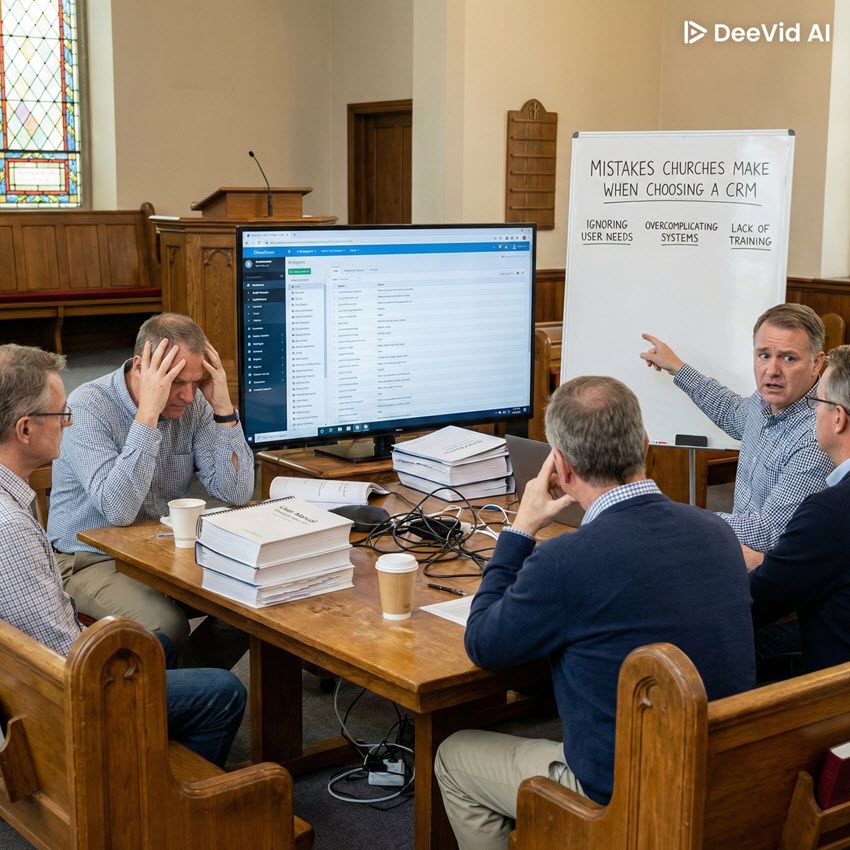
Choosing a new Church CRM (Church Relationship Management system) can feel exciting and a bit overwhelming. With so many options and features, church leaders often worry about making the wrong choice. A good church CRM should help your ministry flourish – organizing member information, improving communication, and freeing your team to focus on people. But how do you avoid the pitfalls along the way? In this friendly guide, we’ll walk through ten common mistakes churches make when selecting a church CRM, and how you can avoid them. (Spoiler: a little prayer, planning, and perspective go a long way.)
It’s tempting to choose the cheapest CRM or the one that fits neatly into this year’s budget. Churches have to be good stewards, so cost certainly matters. However, focusing only on price can backfire. The lowest-priced option might lack essential features or support, causing frustration for your staff and volunteers. A “bargain” CRM that doesn’t meet your needs can waste countless hours of manual work, and ultimately cost more in lost productivity (or even require an expensive switch later).
Instead of just asking “How much does it cost?”, ask “What value does it bring to our ministry?” Consider how a CRM will save time, improve member follow-up, and support church growth. A slightly higher upfront cost is often worth it if the tool eliminates busywork and helps people stay connected. In short, think of a church CRM as an investment in ministry, not just another expense. Wise stewardship is about getting the best value – not simply the lowest price tag.
Not all churches are the same. One common mistake is failing to identify your church’s specific needs and ministry processes before choosing a CRM. It’s easy to get excited about generic features or assume any system will work. But a church with multiple campuses, a big youth program, or lots of volunteers might have different needs than a small church focused on home groups. If you don’t clarify what you actually require, you could end up with a CRM that doesn’t support a critical ministry area (like small group management, children’s check-in, or online giving).
Before you even look at software, take time to list out what you want the CRM to do for your church. Do you need robust event management? Volunteer scheduling? Integration with your website or accounting system? Make a checklist of “must-have” capabilities based on your ministry activities. This will help you evaluate options through the lens of your unique church context. Choosing a CRM that fits your church’s day-to-day ministry will pay off in smoother operations and more effective outreach. Don’t let a one-size-fits-all approach steer you wrong – make sure the solution aligns with how your church serves and communicates.
Choosing a church management system in a vacuum – without input from the people who will actually use it – is a recipe for frustration. Sometimes a few leaders or IT folks make the decision alone. The result? Staff and volunteers might struggle with the new tool or resist using it because it doesn’t address their everyday challenges. Your children’s ministry leader, admin staff, finance team, pastors, and volunteer coordinators all have perspectives on what a CRM should do. Leaving them out can mean missing important insights (and later, hearing a lot of “This system doesn’t work for us!”).
Involve your team early and often. Ask a few key staff and volunteers to join a selection committee or at least give feedback on finalists. Listen to their pain points with the current system or spreadsheets. For example, your follow-up coordinator might say, “We need a better way to track first-time visitors,” or the finance secretary might need specific giving reports. By including these voices, you’re not only getting a clearer picture of what’s needed – you’re also building buy-in. When people feel heard and see their input reflected in the decision, they’ll be more enthusiastic and comfortable adopting the new CRM. Remember, a church CRM is ultimately meant to serve people: both the congregation and the staff. So it makes sense to have those people at the table when choosing it.
New church tech can feel like a kid in a candy store – so many cool features and shiny promises! It’s easy to get distracted by a flashy interface or one standout feature that looks amazing in a demo. Beware of “shiny object syndrome.” Picking a CRM because it has one or two gimmicky features (or simply because it looks modern and sleek) can lead to disappointment. That impressive analytics dashboard or fancy mobile app won’t help much if the system struggles with basics like tracking attendance or printing contribution statements that your church actually needs.
Keep your focus on the day-to-day functionality and real ministry benefits. When evaluating options, ask yourself: “Will this feature actually solve a problem or improve ministry for us, or is it just nice to have?” The best choice might not be the flashiest one; it’s the one that reliably handles the core tasks your church cares about. Of course, an intuitive design and modern features are positives, but they shouldn’t come at the expense of substance. Make sure the CRM you choose has solid fundamentals – even if it’s not the shiniest new toy on the market. In the long run, consistency and reliability will bless your ministry more than a handful of bells and whistles that rarely get used.
Church CRM companies are pretty good at selling their products – slick demos, friendly sales reps, and limited-time discounts can all be very convincing. One mistake is to be overly impressed by a great sales presentation without digging deeper. A demo environment isn’t the same as real life. That polished presentation might gloss over limitations or assume a workflow that doesn’t match your church. On the flip side, maybe a really good solution had a not-so-charismatic salesperson, and you might dismiss it too quickly. Don’t let salesmanship (good or bad) be the deciding factor.
Approach each CRM option with a healthy dose of curiosity and maybe a pinch of skepticism. Ask plenty of questions during demos: “How does your system handle [insert a real scenario from your church]?” or “Can we try it out for a few weeks with our data?” Some vendors offer trial periods or will walk through specific use cases if you request it. It’s also wise to seek outside perspective – talk to other churches who use that product, or read user reviews – to hear how it actually performs in ministry settings. By doing your homework and not just following the most enthusiastic pitch, you’ll be more likely to choose a CRM that delivers in practice, not just on stage.
Sometimes a single staff member has a very strong opinion about which system to get (or not get). Perhaps a frustrated ministry leader is driving the change and ends up picking the tool that best fits their department – but not the whole church. Or maybe the most tech-savvy person on staff chooses something too complicated for others to use comfortably. If one person’s preferences drive the decision without broader agreement, you could run into trouble. What works great for the youth ministry might flop for the admin team, and vice versa.
To avoid this, aim for a balanced decision. Even if one person is spearheading the research, make sure they’re gathering input from others (as we discussed in Mistake #3). If you notice one voice getting too dominant, pause and consider other perspectives. It might help to list out each ministry’s top requirements and use that as an objective guide. In the end, your church CRM should be a team decision. Unity is key – when everyone feels the choice was made with the whole church in mind, they’ll pull together to make the implementation successful. Remember that no single staff member or pastor will use the CRM in isolation; it’s a shared tool for the whole body. Choose accordingly, with everyone’s needs in view.
Picture this: your church buys a powerful new CRM, but a few months in, staff are still unsure how to do basic tasks, volunteers are confused, and some folks have quietly gone back to their old spreadsheets. Often, the issue isn’t the software itself – it’s the lack of training and support. One big mistake is assuming people will “just figure it out” or that an initial one-hour overview is enough. Without proper training, even the best system can become an underused mess. Similarly, not considering the level of customer support provided by the CRM vendor can leave your team stranded if problems arise.
Plan for learning. Make sure the CRM you choose offers training resources like tutorials, webinars, or even one-on-one onboarding for your team. Budget time for staff to get comfortable with the new system. It’s often helpful to designate a point person or champion who becomes the in-house expert and can help train others (and new hires down the road). Also, verify what support is available: Is there a help center or phone support when you have questions? Getting these support structures in place from the start will greatly increase your team’s confidence. The goal is that everyone, from pastors to part-time volunteers, feels equipped to use the CRM effectively. Don’t shortchange this step – a tool is only as good as our ability to use it well.
In the excitement of choosing new software, it’s easy to overlook the nitty-gritty task of moving all your existing data into the new system. If your current membership lists, donor records, and event histories are scattered across old databases or spreadsheets, how will you get them into the new CRM accurately? Ignoring data migration is a common mistake that can lead to headaches later. Without a plan, you might end up with incomplete records, mismatched information, or even lose historical data that people in your church care about. A poorly executed migration can erode trust in the new system (“Why does it say I’ve never volunteered? I volunteered a lot in the past!”).
Start early on a migration plan. Take stock of where all your data lives now – member contact info, attendance, giving, small groups, everything. Clean up that data before importing (think of it as decluttering: remove duplicates, fix outdated info). Many church CRMs offer import tools or even dedicated support to help with data transfer. Use those resources, and don’t be afraid to ask the vendor for guidance on the best way to export from your old system and import into theirs. It might be wise to do a test import with a small sample first. Yes, this step can be tedious, but it’s incredibly important. Accurate data is the foundation for getting value out of your CRM from day one. Taking the time to migrate carefully means your staff can trust the new system and hit the ground running.
Churches often look for a CRM that meets their current requirements – which is logical – but forgetting to consider the future is a mistake that can limit you. Your church might be small today, but what about in five years? Or you might not offer online small group sign-ups or text messaging now, but will you want those features eventually? Choosing a system that just barely fits your ministry as it is today, without room to grow, can lead to frustration down the road. God willing, your church will grow and change. The last thing you want is to outgrow your CRM in two years and go through the buying process all over again.
When evaluating options, think long-term. Does the CRM scale well if your attendance doubles or you add a new campus? Are there more advanced features available that you might unlock as needed (so you won’t pay for them until you use them)? Consider the company’s track record too – are they continually updating the software with new capabilities? While you shouldn’t pay for a ton of extras you truly won’t use, it is wise to choose a platform that can adapt with you. In short, aim for a tool that can serve you both now and in the future. By planning ahead and anticipating where your ministry is headed, you’ll save your church the pain of another switch and ensure the CRM remains a helpful partner in ministry for years to come.
Amidst all the technical details – features, pricing, data, demos – it’s possible to lose sight of the bigger picture. At its heart, a church CRM is about people and ministry. If we treat the decision as just a business or tech purchase, we risk choosing a tool that doesn’t actually further our ministry goals. For example, a system might have awesome reports, but will it help you connect better with newcomers or care for members in need? Every church technology decision should trace back to your mission. Why do you need a CRM in the first place? Probably to help people grow in faith, build community, and make administration smoother so ministry can thrive.
As you weigh options, regularly pause and ask: “How will this help us love and serve our people better?” Keep your church’s mission statement or core ministry objectives in mind. A good CRM should ultimately enable better pastoral care, better follow-up, and better stewardship of relationships – not just better data. And don’t forget to seek God’s guidance in the process. Pray for wisdom and clarity as you decide. Involving prayer isn’t just the “spiritual thing to do,” it genuinely centers your team on what matters most. When you choose a CRM with a clear sense of purpose and prayer, you’re far more likely to end up with a tool that truly supports the work of the Kingdom in your local context.
Choosing the right church CRM is a significant decision, but it doesn’t have to be scary. Yes, there are a lot of factors to consider, but by avoiding these common mistakes, you’re well on your way to making a choice you’ll feel good about. Take your time, do your homework, involve others, and keep prayer in the process. The goal isn’t just to get new software – it’s to equip your church for more effective ministry. With wise, prayerful decisions, you can find a CRM that becomes a faithful partner in ministry, helping your team stay organized and your congregation feel truly cared for.
In the end, remember this: the tool you choose is there to serve the church’s mission, not the other way around. With God’s guidance and some thoughtful planning, you’ll make a choice that blesses your ministry for years to come.