How to Create a Church Bulletin From Start to Finish

Before, in previous posts, we spoke on the importance of church bulletin. A bulletin is more than a piece of paper. It is a warm welcome, a guide during worship, and a tool that helps people stay connected. In this post, we will walk step by step through how to create a church bulletin from the first idea all the way to the final copy.

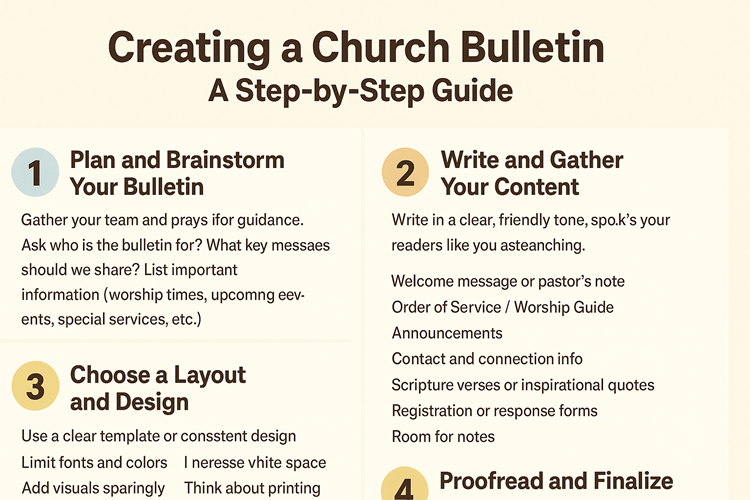
1. Plan and Brainstorm Your Bulletin

Start by gathering your team and praying for guidance. Ask simple questions.
Who will read the bulletin? What information helps them most? What is the main purpose?

During the planning stage:

  • List important announcements and events.
  • Decide which items are essential.
  • Think about what visitors will need to feel welcome.
  • Create a simple sketch of the layout.
  • Decide how many sections you want.
  • Keep the main message clear and avoid overcrowding.

By the end of your planning, you should have a small map of what the bulletin will include and where each piece of content will go.

2. Write and Gather Your Content

Write everything in a friendly, simple tone. Speak to your readers like you are talking to a church family member or a first time visitor.

Here are common parts to include:

  • Welcome message. A short greeting from the pastor or service leader.
  • Order of worship. Songs, readings, sermon title, and the flow of the service.
  • Announcements. Include only important events that most people should know.
  • Contact information. Address, phone number, website, and social media.
  • Scripture or inspiration. A verse or uplifting message adds encouragement.
  • Forms or sign ups. Add a QR code or short link for registration if needed.
  • Space for notes. Many people like to write sermon notes or reflections.

Keep sentences short. Use bullet points. Make everything easy to read at a quick glance.

3. Choose a Layout and Design

Now that you have the content ready, focus on making it clear and attractive.

Tips for a smooth layout:

  • Use a simple template that you can repeat every week.
  • Choose two or three easy to read fonts.
  • Stick to a clean color palette.
  • Leave enough white space so the bulletin does not look crowded.
  • Add only a few visuals such as the church logo or a simple photo.
  • Make sure the font size is large enough for all readers.

You can create the bulletin in Canva, Microsoft Word, Google Docs, or any tool your team prefers. A simple layout is often better than a complicated one.

4. Proofread and Finalize

Before printing or sharing the bulletin, look over it carefully.

  • Check spelling and grammar.
  • Ask another person to read it.
  • Confirm dates, times, and names.
  • Print a test page if you are making physical copies.
  • Make sure everything is aligned and readable.

A clean and polished bulletin shows care and attention.

5. Print or Publish Online

Now choose how you will share the bulletin.

Printed copies:

  • Print enough for your Sunday service.
  • Use good quality paper.
  • Place copies at the entrance or have ushers hand them out.

Digital version:

  • Export the bulletin as a PDF.
  • Share it by email or on your website.
  • Add a QR code in the church lobby for people who prefer digital.

Many churches use both options. This helps everyone receive the information in the way that works best for them.

6. Ask for Feedback and Improve

Your bulletin will become better every week if you gather feedback.

  • Ask leaders and volunteers what they think.
  • Listen to comments from church members.
  • Notice which announcements get the most response.
  • Adjust the layout or content as needed.

Creating a bulletin is a simple but powerful act of service. When done with love, it helps people feel informed, welcomed, and connected to the church family.